
Available
Client Requests
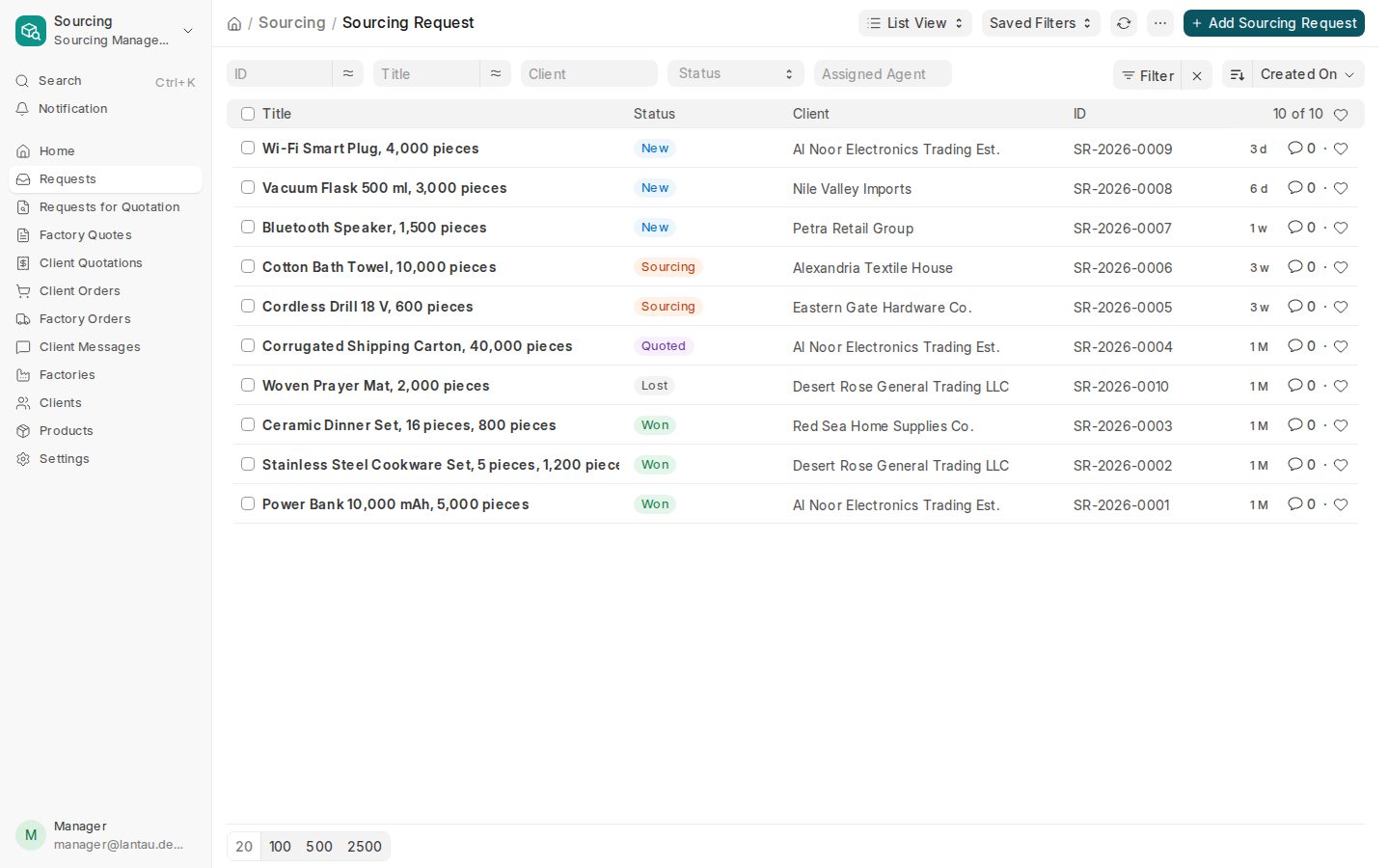
Clients send requests with photos, quantities and target prices; your team follows each one to won or lost.
Learn more about Client Requests
Sign in as Manager
Sourcing Management · the second PHNX product, after TravelGo
Client requests, factories, your margin and a portal for your clients, with your brand on it. Built and run by PHNX.
What you get
Open any of it in your own demo company. Each card says what it does and where to read more.
Clients send requests with photos, quantities and target prices; your team follows each one to won or lost.
Clients send requests, approve quotes, follow orders and message you on a portal with your brand.
Factories with categories, MOQ, lead times, licences, WeChat and rating, imported from a spreadsheet.
Earn by commission, markup or factory rebate, or mix them, with a default rate for each.
Your logo, colours and favicon on the login page, your website and the back office; your colours on the portal.
Invoices and payments in any currency, with full accounting behind them.
Interactive tour
These are screens from the live demo company, Lantau Trading Co. Your demo has three logins: Admin sees everything, Manager runs the sourcing desk, Client sees the portal.
New, sourcing, quoted, won or lost: each request shows its client, product, quantity and target price, so nothing waits in a chat.
Sign in as Manager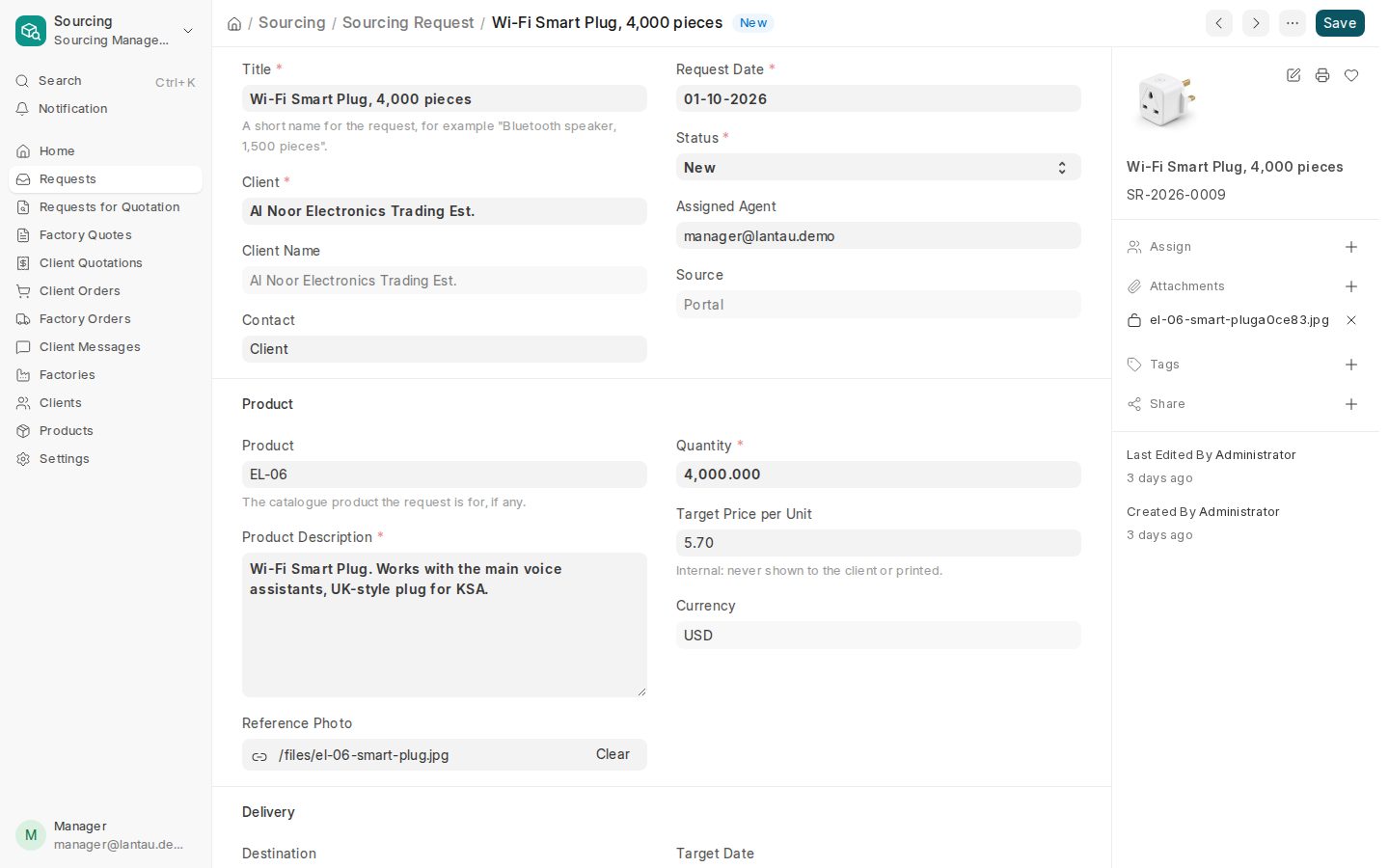
Photos, specifications, quantity and target price from the client, the agent in charge and the messages, on one page.
Sign in as Manager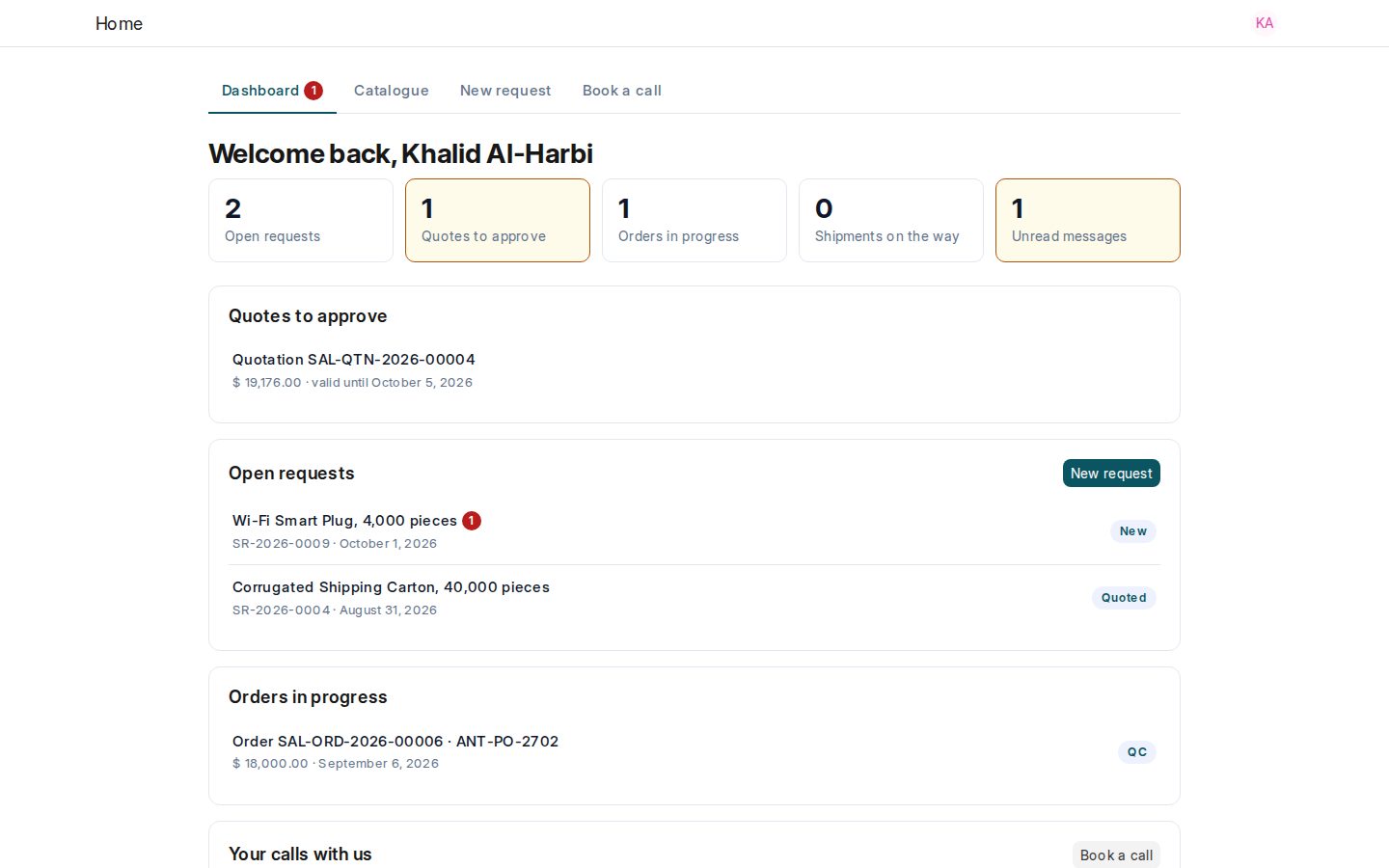
Your client sees their own requests and orders in your colours, and sends new requests without emailing you.
Sign in as Client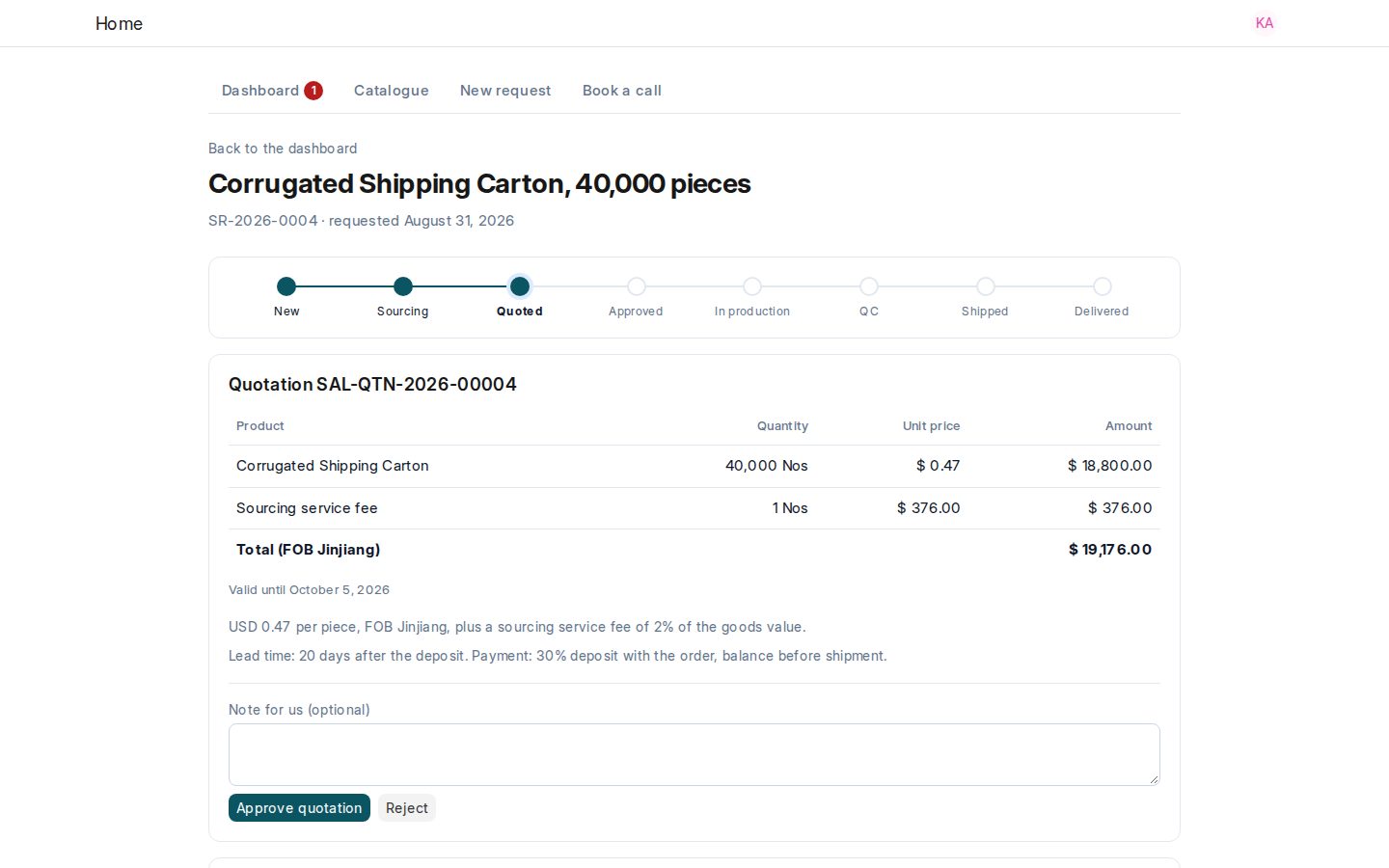
The client approves a quote and talks to your team on the request. Factory names and prices never appear.
Sign in as Client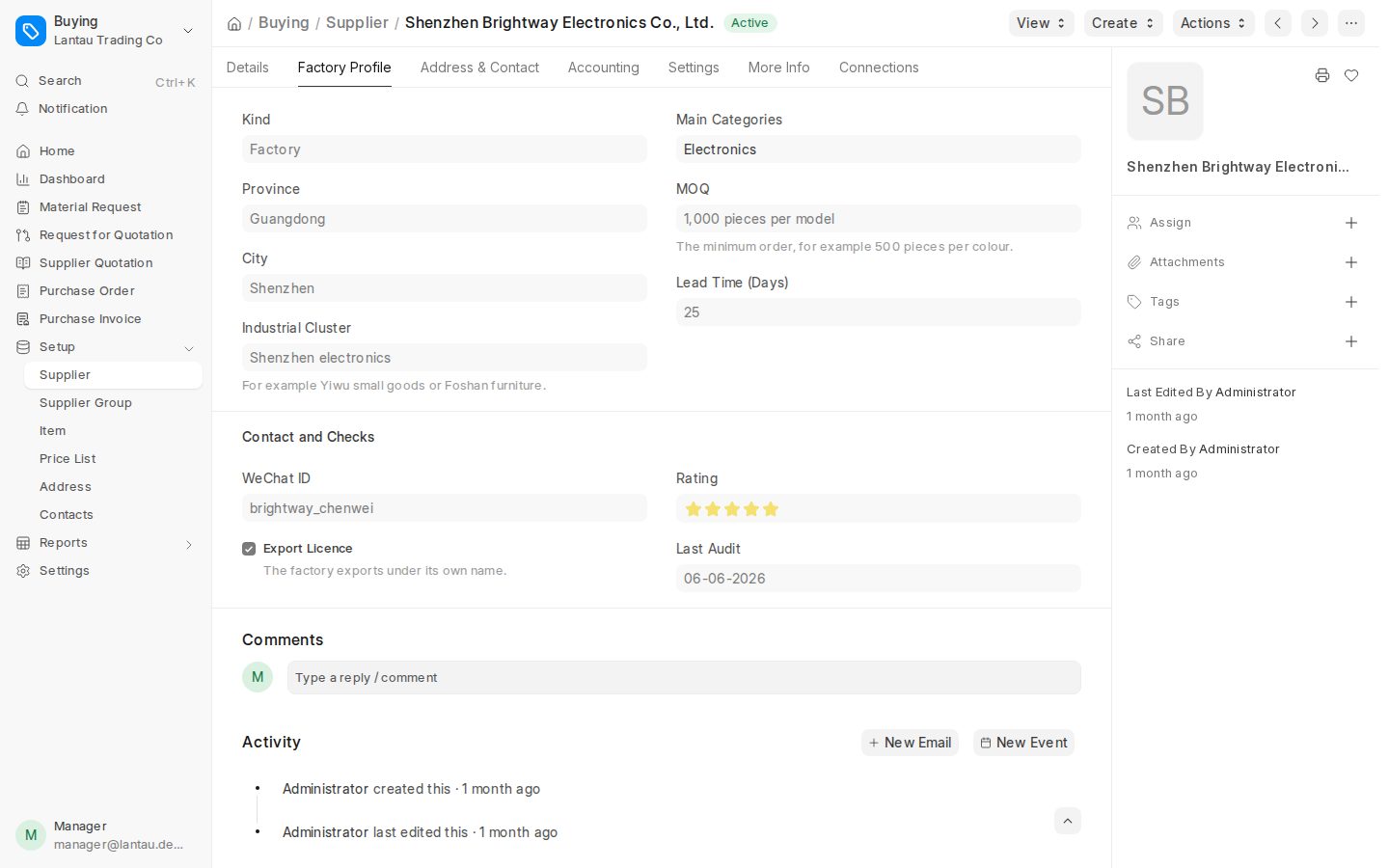
Categories, MOQ, lead time, export licence, WeChat and your rating for every factory, imported from a spreadsheet.
Sign in as Manager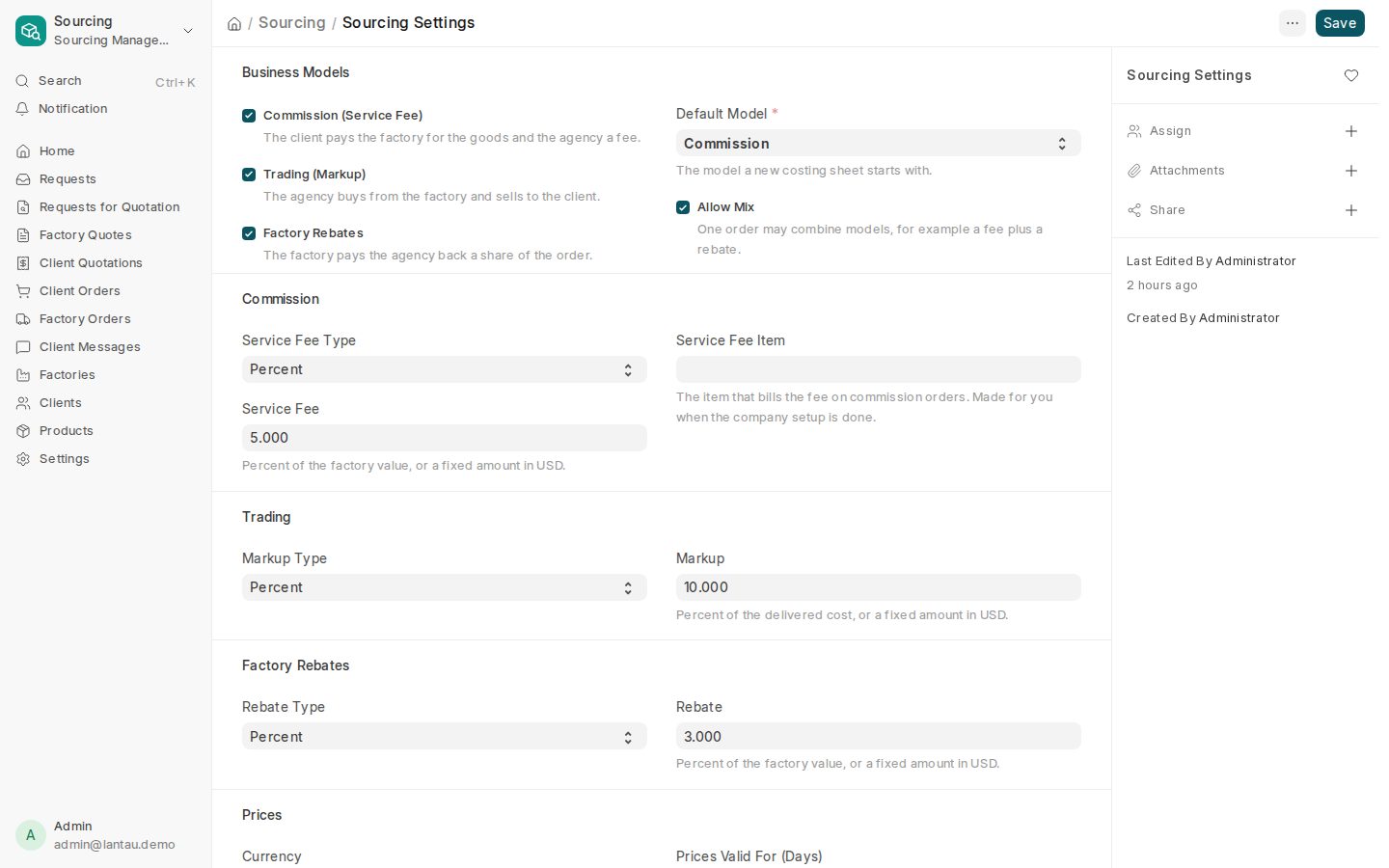
Turn on commission, markup or rebate, allow a mix, and set the default rate of each. The forms show only what you use.
Sign in as Admin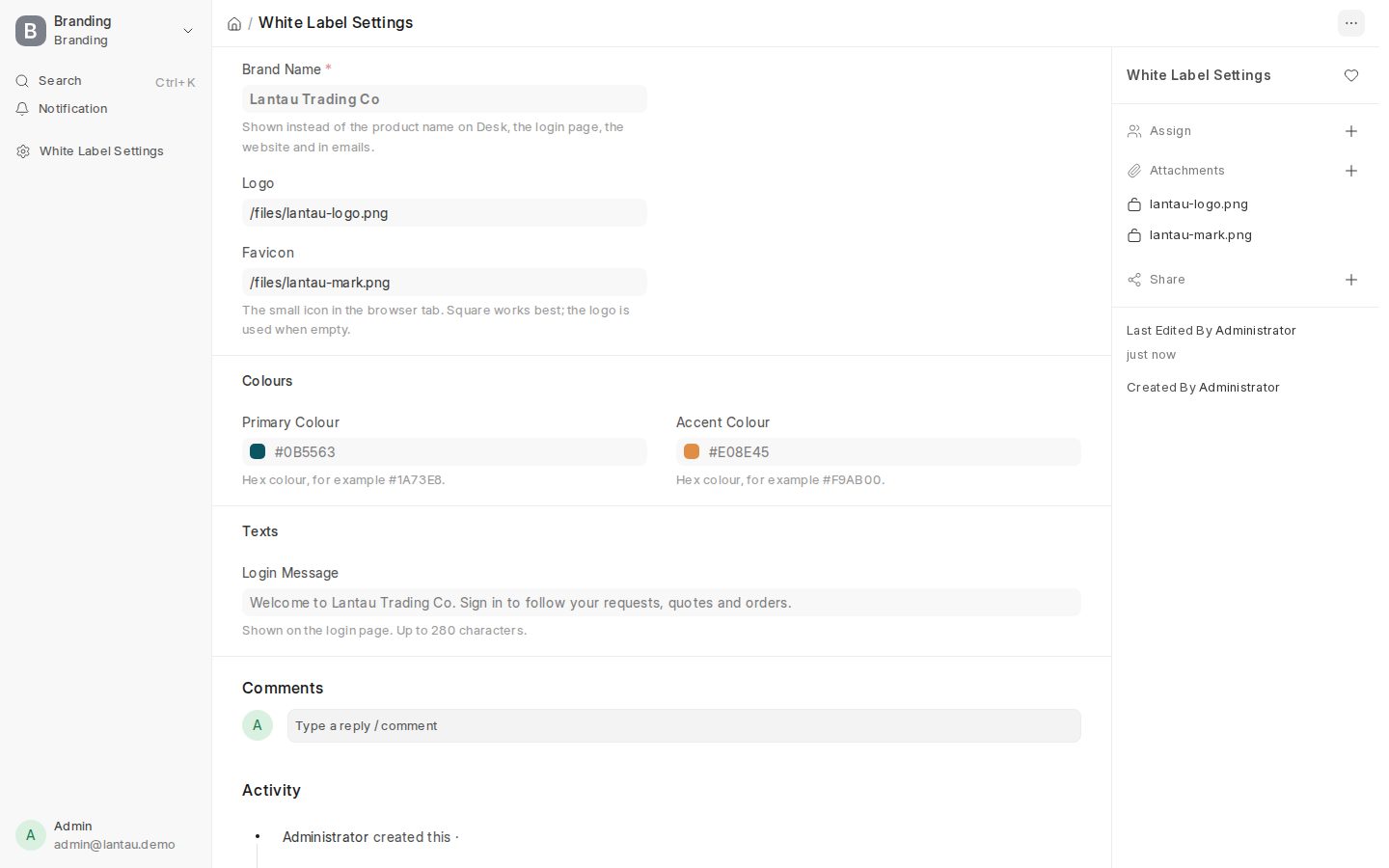
Upload your logo and favicon and choose your colours. The login page, your website and the back office show your logo; the portal takes your colours.
Sign in as AdminWhy it's different
Commission, markup or factory rebate, or a mix on one order. You work the way your clients pay.
Clients follow their requests and orders; factory names and prices never reach them.
Destination port, importer registration and Egyptian tax ID on every client today; SABER and ACI checklists in 2027; Arabic later.
Your colours and favicon on every page your clients see, your logo on the login page and your website.
Accounting, stock, buying and selling are underneath, so you never outgrow it.
Add your whole team and your clients' buyers without paying per seat.
Coming next
No screenshots and no demo links until a feature works. When it ships, its badge changes to Available.
Send one request to many factories, with a PDF to share on WeChat.
Factory quotes side by side with their packing data; award the best one.
From factory price to delivered price, with your commission, markup, rebate or a mix.
Quote the client without showing factory cost; a won quote becomes the order and the factory order.
Proforma invoice, factory purchase order, service-fee invoice and rebate note, ready to send.
Inspections with photos that your client sees on the portal.
Follow each order from the factory to the port.
Shipping documents made from the order.
Compliance checklists for shipments to Saudi Arabia and Egypt.
Margin per order and client, and how each factory performs over time.
A regular ERP gives you accounting and stock and leaves the sourcing work to spreadsheets and chat. This product is built around a sourcing agent's day: client requests, factories, quotes, your margin and a portal for your clients. A full ERP sits underneath, so invoices, payments and stock are there when you need them. Read the sourcing workflow
You invite each client's buyer by email. They choose a password and sign in on your site, with your logo. They see their own requests, quotes, orders and messages, and nothing else. Read the client portal guide
Yes. Factory names, factory prices, target prices and the agent in charge are internal. The portal never shows them, and a client can only open its own records. What your clients see
Today: invoices and payments in any currency. From November 2026: proforma invoice, factory purchase order, service-fee invoice and rebate note. In 2027: commercial invoice, packing list and SABER and ACI checklists. Read about documents
Each customer gets its own site and its own database, never shared with another company. Every page is served over HTTPS, and only the named PHNX people who look after your account can reach your data. We sign an NDA before any data exchange when you ask. More in the FAQ
Your logo, colours and favicon work today: the logo on the login page, your website and the back office, the colours and favicon on the portal too. Tell us the domain you want when we set up your account. Read the white-label guide
Prices are announced in November 2026, at a fixed monthly price with no per-user fees. The demo is free. Leave your details and you'll get the prices first. Leave your details
Yes. Start Demo gives you your own demo company with sample data for 24 hours, with three logins: Admin, Manager and Client. No sign-up and no card. Read Getting Started
The demo company is removed after 24 hours. When you want your own site, leave your details: we set up your company, you bring in your factories, clients and products, and you start on your own data. Online sign-up comes with the prices. Talk to us
From a spreadsheet. Fill in the templates for factories, clients and products and upload them; the import tells you which rows need fixing. Read the import guide
Your own demo company, with sample clients, factories and requests, in about a minute.
Talk to us
Tell us about your business. We reply within 24 hours and set up your company.
Go straight to your own site.